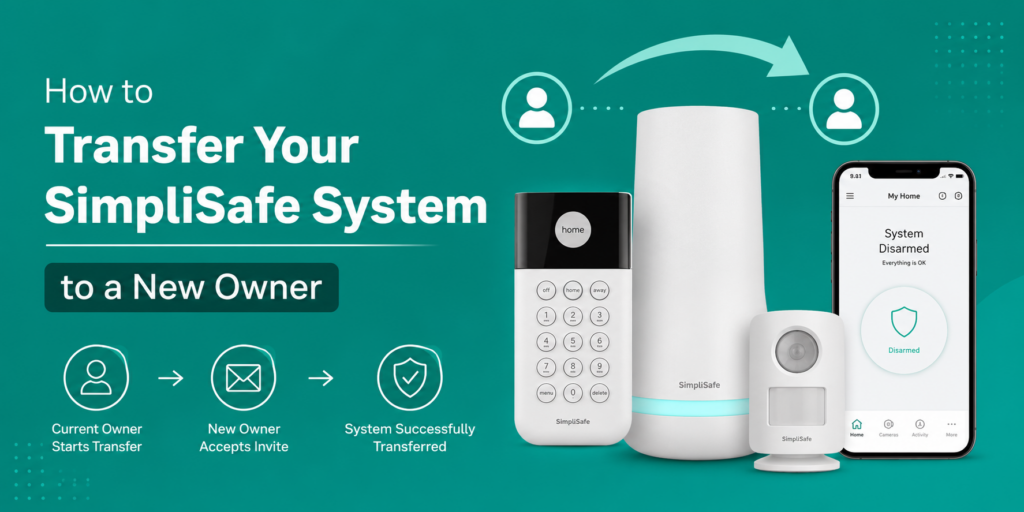
To transfer SimpliSafe system to new owner, remove your account details, cancel your monitoring plan (if active), reset the system and let the new owner create a new SimpliSafe account. Once the Base Station is registered under the new account, the ownership transfer is complete.
Selling your home? Moving to a new place? Or giving your SimpliSafe security system to a family member?
Before handing over the system, it’s important to transfer SimpliSafe system to new owner properly. Many people think unplugging the Base Station is enough. In reality, your account, monitoring subscription, payment details and personal settings may still be connected to the system.
Taking a few extra minutes to complete the transfer protects your privacy and makes the setup easier for the next owner. It also helps avoid activation problems, unexpected monitoring charges and account-related issues later.
This guide explains the entire Simplisafe ownership transfer process in simple way. Whether you’re the current owner or buying a used SimpliSafe system, you’ll find everything you need here.
What Does It Mean to Transfer a SimpliSafe System to a New Owner?
A Simplisafe ownership transfer means removing your personal account and security information so someone else can register and use the system. The hardware stays the same, but the account changes. This includes removing your:
- SimpliSafe account
- Professional monitoring subscription
- Emergency contacts
- Payment details
- Device settings
- User permissions
- Personal security information
After that, the new owner creates their own account and registers the Base Station. This keeps both users secure and prevents account conflicts.
Quick Overview
| Task | Required |
| Cancel monitoring | Yes |
| Remove personal account | Yes |
| Factory reset system | Recommended |
| Share Base Station serial number | Yes |
| Create a new account | Required |
When Should You Transfer Your SimpliSafe System?
You should transfer ownership anytime another person becomes the primary user of the system.
Common situations include:
- Selling your home
- Moving and leaving the system behind
- Giving the system to a family member
- Selling a used SimpliSafe system online
- Donating the equipment
- Upgrading to a newer security system
Even if you’re giving the system to someone you know, completing the transfer is still the safest option.
Buying a Used SimpliSafe System? Read This First
Many people buy second-hand SimpliSafe systems because they’re often more affordable. Before purchasing one, make sure it’s ready to be transferred.
Check the following before you buy:
| What to Check | Why It Matters |
| SimpliSafe Base Station serial number | Needed to register the system |
| Base Station and keypad | Required for setup |
| Sensors and accessories | Make sure nothing is missing |
| Monitoring status | Confirm the previous owner has cancelled it |
| Previous account removed | Prevents activation problems |
If possible, ask the seller whether they’ve already removed the system from their account. This can save you time during activation.
Expert Tip: Take a photo of the SimpliSafe Base Station serial number before leaving with the system. If you ever need customer support, having the serial number ready can make the process much easier.
Why Should You Transfer SimpliSafe Ownership Properly?
A proper simplisafe change owner process protects both the previous owner and the new one. Here are the biggest reasons.
Protect Your Privacy
Your account may still contain important personal information, including:
- Home address
- Phone number
- Email address
- Emergency contacts
- Alarm history
- Payment information
Removing this information helps protect your privacy after the transfer.
Avoid Unwanted Monitoring Charges
If you forget to SimpliSafe cancel monitoring plan, your subscription may continue even after you’ve moved out. That means you could still be paying for a security system you no longer use. Always confirm your monitoring plan has been cancelled before handing over the equipment.
Make Setup Easier for the New Owner
When the old account has already been removed, the new owner can register the system much faster. They won’t have to wait for account verification or contact support unless there’s an unexpected issue.
How to Transfer SimpliSafe System to New Owner? (Step-by-Step)
Follow these simple steps to complete the transfer safely.
Step 1. Cancel Your Monitoring Plan
If you’re using professional monitoring, cancel your subscription before transferring the system. This prevents future charges and ensures the new owner can activate their own monitoring plan without conflicts. If you need detailed instructions, check our guide on SimpliSafe cancel monitoring plan.
What Happens to Professional Monitoring?
One of the most common questions is whether professional monitoring transfers with the system. The answer is no. Your monitoring subscription is linked to your account, not the hardware.
Once you cancel your subscription:
- Billing stops on your account.
- The new owner does not automatically receive monitoring.
- They can choose a new monitoring plan after creating their own account.
Expert Tip: Cancel your monitoring a day or two before handing over the system. This gives enough time to confirm there are no pending charges.
Step 2. Remove Personal Information
Next, remove all personal information connected to your account.
Update or delete your:
- Phone number
- Email address
- Emergency contacts
- Saved payment methods
- SimpliSafe login information
- User profiles
Removing this information protects your privacy and gives the new owner a clean start. If you’re changing your email before the transfer, check our guide on how to change email address on SimpliSafe account.
Step 3. Find the Base Station Serial Number
Before resetting the system, locate the SimpliSafe Base Station serial number.
You’ll usually find it:
- Under the Base Station
- On the original product box
- Inside your account dashboard
- Write the serial number down or take a photo.
- The new owner may need it during activation.
Step 4. Factory Reset the System
A factory reset removes most personal settings from the system. Although it isn’t always required, it’s strongly recommended before transferring ownership.
A reset helps remove:
- Previous user settings
- Stored PINs
- Device configurations
- Personal preferences
After resetting, the new owner can complete a fresh simplisafe new owner setup without old settings causing problems. If your cameras don’t reconnect after the reset, check our guide on SimpliSafe camera reset.
Expert Tip: Reset the system only after you’ve written down the serial number and confirmed your monitoring plan has been cancelled.
Step 5. Remove Additional Users
If other people have access to your account, remove them before handing over the system. This includes:
- Family members
- Friends
- Temporary users
- Anyone with SimpliSafe Additional User Access
Removing extra users helps prevent old accounts from receiving notifications after the transfer.
Step 6. Reset Important Security Information
To keep your information secure, update or reset your security credentials.
This includes:
- SimpliSafe Safe Word
- SimpliSafe Master PIN reset
The new owner should create their own Safe Word and Master PIN during setup. This keeps emergency verification and system access secure.
Step 7. Help the New Owner Register the System
The final step is helping the new owner complete registration.
They should:
- Create a new SimpliSafe account.
- Register the Base Station.
- Connect to Wi-Fi.
- Add all sensors and devices.
- Test the system.
- Activate professional monitoring if they want it.
This completes the simplisafe ownership transfer.
Expert Tip: Before handing over the system, test every sensor and accessory one last time. It’s much easier to replace batteries or reconnect devices before the new owner installs everything.
How Long Does It Take to Transfer a SimpliSafe System?
One question many people ask is how long the transfer process actually takes. The good news is that it doesn’t usually take very long. If the previous owner has already removed their account and cancelled monitoring, the transfer can often be completed in 15 to 30 minutes.
However, the time may vary depending on the situation.
| Situation | Estimated Time |
| Monitoring already cancelled | 15–30 minutes |
| New account setup | 10–20 minutes |
| Factory reset and device testing | 15–25 minutes |
| Support verification required | May take longer |
If the Base Station is still associated to the former owner’s account, you may need to contact SimpliSafe Support before the new owner can activate the system.
Expert Tip: Don’t wait until moving day to transfer the system. Completing the process a day or two in advance gives you enough time to solve any unexpected issues.
What Information Should You Give the New Owner?
Before handing over the system, make sure the new owner receives everything they need.
| Item | Why It’s Important |
| Base Station | Required for activation |
| Keypad | Controls the system |
| Entry and motion sensors | Protect doors and windows |
| Power adapter | Powers the Base Station |
| User manuals | Helpful during setup |
SimpliSafe Base Station serial number Needed for registration
If you’re including cameras, doorbells or extra accessories, pack those as well. Providing all the original equipment makes the installation much easier.
How to Transfer SimpliSafe Account?
Many people search for how to transfer SimpliSafe account, expecting to find a button that changes ownership. In reality, that’s not how the process works. You don’t transfer your personal account to another person.
Instead, you:
- Remove your personal information.
- Cancel your monitoring subscription.
- Factory reset the system.
- Allow the new owner to create a completely new account.
This approach protects your personal information and gives the new owner full control over the system.
Can You Transfer SimpliSafe Without the Previous Owner?
Yes, but it depends on the system’s current status. If the previous owner has already removed the Base Station from their account, the setup is usually straightforward. If not, the new owner may run into activation problems. In that situation, customer support may ask for proof of purchase or ownership before releasing the device. If you’re buying a used SimpliSafe system, it’s always a good idea to ask the seller to remove the account before completing the sale. Doing this can save a lot of time later.
How Can the New Owner Set Up SimpliSafe?
The simplisafe new owner setup process is simple once the ownership transfer is complete. Follow these steps.
| Step | Action |
| 1 | Create a new SimpliSafe account |
| 2 | Register the Base Station |
| 3 | Connect the system to Wi-Fi |
| 4 | Pair all sensors |
| 5 | Add cameras and accessories |
| 6 | Test every device |
| 7 | Choose a monitoring plan if needed |
After setup, customize your notifications, emergency contacts and security preferences. The new owner should also create a new Safe Word and Master PIN instead of using the previous owner’s information.
Common Mistakes to Avoid During SimpliSafe Ownership Transfer
Most ownership transfers are simple, but a few common mistakes can delay the process. Avoid these problems whenever possible.
Forgetting to Cancel Monitoring
One of the most common mistakes is forgetting to cancel the monitoring subscription. This can lead to unexpected charges even after you’ve moved.
Leaving Personal Information Behind
Before transferring the system, remove your:
- Email address
- Phone number
- Emergency contacts
- Payment methods
- User profiles
Leaving personal information behind can create privacy concerns.
Forgetting the Base Station Serial Number
Many people reset the system before writing down the serial number. If the sticker becomes difficult to read later, registration can take longer. Always save the serial number before performing a factory reset.
Not Removing Additional Users
Don’t forget to remove everyone with SimpliSafe Additional User Access. Otherwise, previous users may continue receiving alerts or notifications.
Skipping Device Testing
Before handing over the system, test every sensor. Replace weak batteries if needed.
It’s much easier to fix small issues before the new owner installs everything.
Expert Tip: Spending five additional minutes checking every device can save hours of troubleshooting later.
Do You Need to Contact SimpliSafe Support?
In many cases, you can complete the transfer without contacting support. Though, there are situations where assistance may be required. You may need to contact SimpliSafe if:
- The Base Station is still linked to another account.
- You forgot your SimpliSafe Safe Word.
- Your Master PIN cannot be reset.
- The system cannot be activated.
- Ownership verification is required.
Having your SimpliSafe Base Station serial number available will help speed up the process.
What Problems Can Happen During SimpliSafe Ownership Transfer?
Even when you follow every step, you might still experience a few issues. Here are the most common ones and how to fix them.
| Problem | Possible Solution |
| Base Station still registered | Ask the previous owner to remove it or contact support |
| Monitoring still active | Cancel the existing subscription |
| Forgot Safe Word | Contact support for verification |
| Master PIN not working | Perform a SimpliSafe Master PIN reset |
| Cameras won’t reconnect | Perform a SimpliSafe camera reset and pair them again |
| Base Station shows a warning | Check our guide on SimpliSafe base station red light |
The System Is Still Registered
If the new owner receives a message saying the system is already registered, the previous owner’s account may still be connected. The fastest solution is to ask the previous owner to remove the system from their account. If that’s not possible, contact SimpliSafe Support.
Monitoring Is Still Active
If professional monitoring is still attached to the old account, the new owner won’t be able to activate a new subscription. Confirm that the previous owner has successfully completed the SimpliSafe cancel monitoring plan process.
Forgot the Safe Word
The SimpliSafe Safe Word helps verify account ownership when speaking with customer support. If you’ve forgotten it, support may ask additional questions to confirm your identity before making account changes.
Master PIN Doesn’t Work
Sometimes the existing PIN no longer works after ownership changes. Complete a SimpliSafe Master PIN reset and create a new PIN that only the new owner knows.
Cameras or Sensors Won’t Connect
If a device won’t reconnect:
- Restart the Base Station.
- Reinstall the batteries if needed.
- Pair each sensor again.
- Reset cameras before adding them back to the account.
If the issue continues, check our detailed guide on SimpliSafe camera reset for additional troubleshooting steps.
Tips for a Smooth SimpliSafe Ownership Transfer
These simple tips can help you avoid delays and complete the transfer successfully.
- Back up any account information you may need later.
- Cancel your monitoring plan before moving.
- Remove all personal details from your account.
- Save the Base Station serial number before resetting the system.
- Remove every additional user.
- Test all sensors before handing over the equipment.
- Include every accessory, power adapter and mounting bracket.
- Keep the original box if you still have it.
- Update the new owner about any devices that need battery replacement.
Following these tips will help both owners enjoy a smoother experience.
Checklist Before Handing Over Your SimpliSafe System
Before you hand over your SimpliSafe system, use this checklist to make sure everything is complete. Spending a few additional minutes now can save both you and the new owner from unnecessary problems later.
| Task | Why It Matters |
| SimpliSafe cancel monitoring plan completed | Prevents future monitoring charges. |
| Personal account information removed | Protects your privacy and personal data. |
| Payment details deleted | Stops unwanted billing after the transfer. |
| Emergency contacts removed | Prevents alerts from being sent to the wrong people. |
| SimpliSafe Additional User Access removed | Ensures previous users can no longer access the system. |
| SimpliSafe Safe Word updated or removed | Keeps your account verification secure. |
| SimpliSafe Master PIN reset completed | Prevents unauthorized access to the system. |
| Factory reset performed | Gives the new owner a fresh setup experience. |
| SimpliSafe Base Station serial number shared | Helps the new owner activate the system quickly. |
| Base Station, keypad, sensors and accessories packed | Ensures the new owner has everything needed for installation. |
| System tested before handover | Confirms all devices are working properly. |
Completing this checklist helps ensure a smooth simplisafe ownership transfer without last-minute surprises.
Best Practices Before Handing Over Your SimpliSafe System
Following a few best practices can make the transfer much easier for everyone involved.
| Best Practice | Benefit |
| Cancel monitoring before moving | Prevents unexpected subscription charges |
| Remove your account information | Protects your privacy |
| Reset the Base Station | Gives the new owner a fresh start |
| Test every sensor | Helps identify issues before the transfer |
| Share the serial number | Speeds up registration and support |
| Include all accessories | Makes installation easier for the new owner |
Expert Tip: If you still have the original packaging, include it with the system. It protects the equipment during transport and helps keep smaller accessories organized.
Is It Better to Reset the System Before Selling It?
Yes. In most cases, resetting the system is the safest option before selling or giving it to someone else. A factory reset removes most of your personal settings and prepares the system for a new account.
Resetting the system also helps remove:
- Previous PINs
- User preferences
- Connected devices
- Personal security settings
- Notification preferences
Although a reset clears most local settings, remember to remove your account information and cancel monitoring separately. A factory reset alone does not automatically close your account or end your subscription.
Is It Safe to Buy a Used SimpliSafe System?
Yes, buying a used SimpliSafe system can be a good way to save money, but only if it has been properly transferred by the previous owner.
Before purchasing, make sure:
- The previous owner has removed the system from their account.
- The Base Station is working correctly.
- All sensors and accessories are included.
- The serial number is clearly visible.
- The equipment is not physically damaged.
If possible, ask the seller to demonstrate that the system powers on before completing the purchase. Taking these precautions reduces the chances of activation problems later.
Frequently Asked Questions
Can I transfer my SimpliSafe account directly to another person?
No. SimpliSafe accounts are personal and shouldn’t be shared with another user. Instead, remove your account details, cancel your monitoring plan and let the new owner create a new account using their own email address and payment information.
Do I need to cancel my monitoring subscription before selling my SimpliSafe system?
Yes. Cancelling your monitoring plan prevents future charges and avoids account conflicts. Once your subscription has ended, the new owner can choose whether they want to activate their own professional monitoring service.
Does a factory reset delete everything?
A factory reset removes most local settings stored on the system, including user preferences and device configurations. However, you should still remove your account information, payment details and monitoring subscription separately to complete the ownership transfer.
What if the new owner cannot activate the system?
This usually means the Base Station is still linked to the previous owner’s account. Ask the previous owner to remove the system from their account. If that isn’t possible, contact SimpliSafe Support for assistance with ownership confirmation.
Why is the SimpliSafe Base Station serial number important?
The serial number identifies your Base Station during registration and customer support requests. Keeping this number available makes activation easier and helps resolve ownership or setup issues much faster.
Should I remove additional users before transferring the system?
Yes. Remove everyone who has SimpliSafe Additional User Access before handing over the system. This prevents previous users from receiving notifications or accessing the security system after ownership changes.
Can I use a used SimpliSafe system without professional monitoring?
Yes. After creating your own account and registering the system, you can choose whether or not to subscribe to professional monitoring. The accessible features may vary depending on your SimpliSafe model and service options.
Can I move my SimpliSafe system to another house instead of transferring it?
Absolutely. If you’re moving and keeping your system, you don’t need to transfer ownership. Simply uninstall the equipment, reinstall it in your new home, update your address in your account and test all devices after installation.
Final Thoughts
Learning how to transfer SimpliSafe system to new owner is easier than many people expect. The key is to take your time and complete each step in the right order. Start by canceling your monitoring plan, removing your personal information and resetting the system. Then, provide the SimpliSafe Base Station serial number and any accessories the new owner may need for setup.
A proper simplisafe ownership transfer protects your privacy, prevents unnecessary monitoring charges and helps the new owner activate the system without delays. Whether you’re selling your home, giving your system to a family member or buying a used SimpliSafe security system, following this guide will make the entire process simple, secure and stress-free.